One business. Every screen.
Customers, quotes, jobs, and invoices in a full desktop workspace.
You do the hard work. Fieldly keeps the business moving. Customers, quotes, jobs, and invoices—in one place, wherever the day takes you.


Actual Fieldly app screens
HVAC · Plumbing · Electrical · Roofing · Landscaping · More trades
No digging through tabs to find a customer's address or last invoice. Every part of the job connects to the same customer record.
Paid revenue, outstanding invoices, open quotes, and recent activity on one screen.
Build estimates with line items, trade templates, photos, and quote numbers.
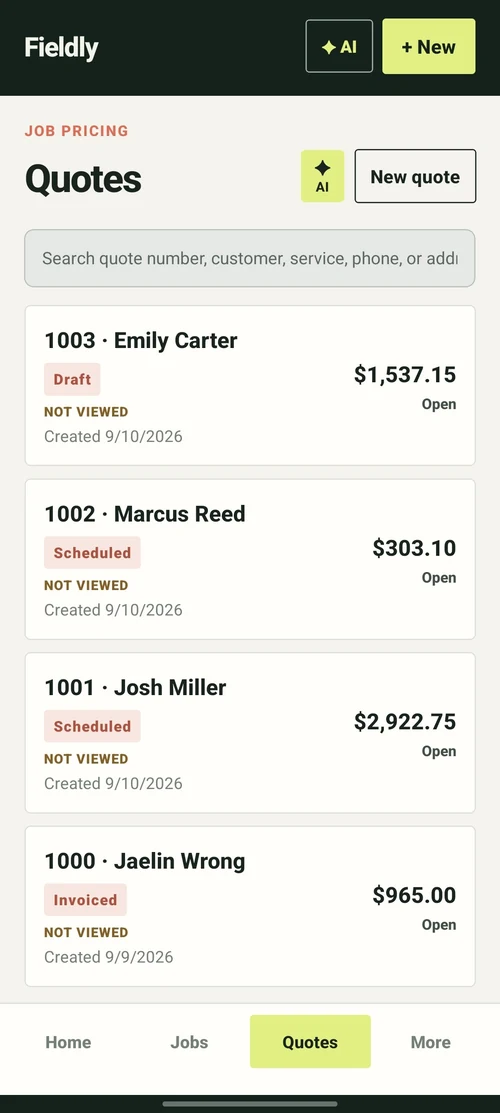
Turn approved work into an active job with the customer context already attached.
Send an invoice and track what has been paid and what is still outstanding.

Contact details, addresses, and every quote, job, and invoice for that customer.

Your phone handles the job. Your web command center brings the customers, crew, invoices, and business picture together.
Explore Fieldly Pro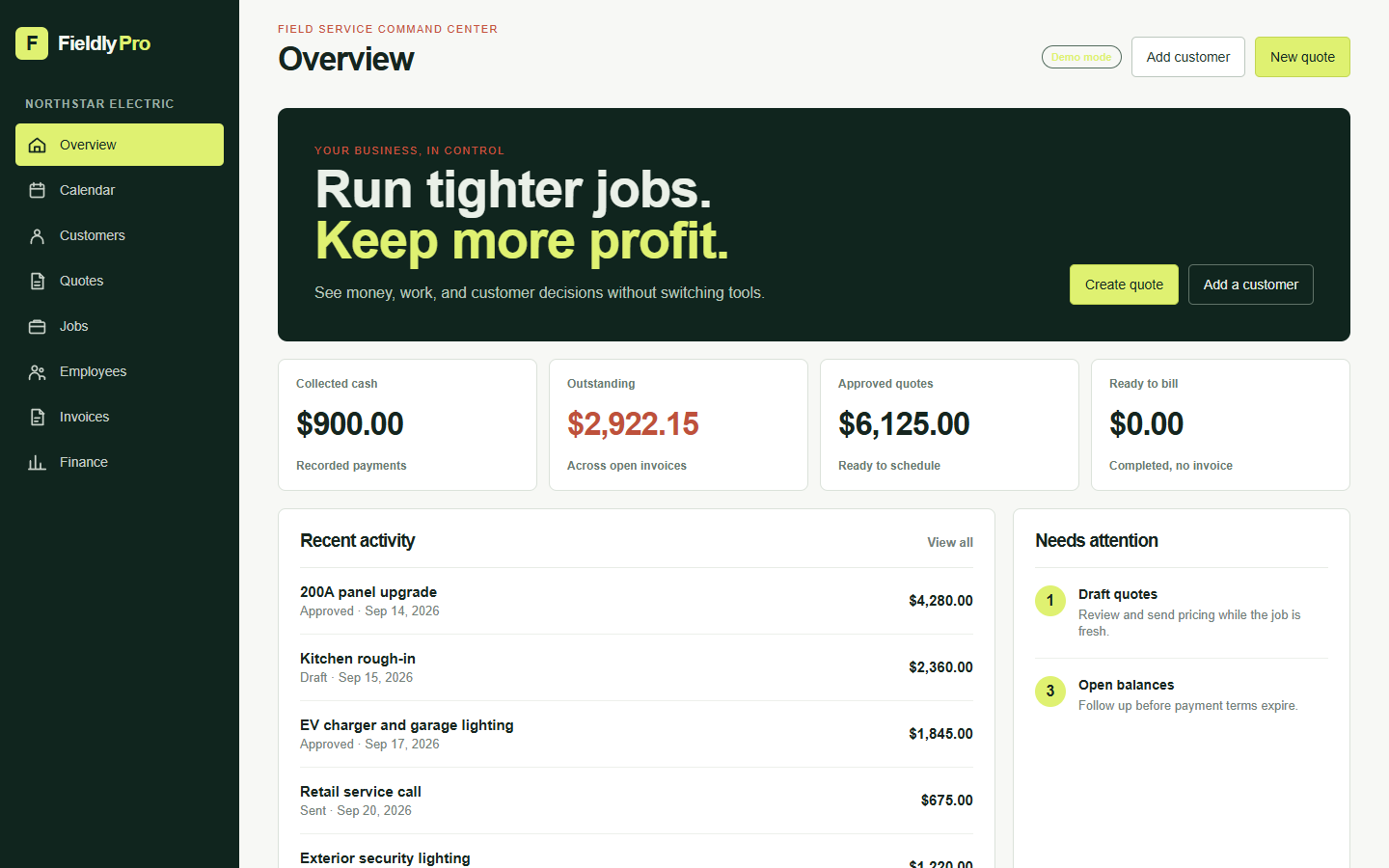
Customers, quotes, jobs, and invoices in a full desktop workspace.
Employee management and assignments keep the work connected to your team.
Reporting, payment tracking, and business insights show the bigger picture.
The customer, price, and photos you already entered carry forward into the next step instead of starting over in another system.
Estimate with line items, tax, photos, and a quote number.
Customer approves or requests changes without a phone tag.
Approved work becomes a job with its own schedule and photos.
Invoice the work and take payment online through Stripe.
Less chasing details. More getting things done. Keep the information you need connected to the work it belongs to.
Send a customer-ready invoice and let eligible customers pay online. Stripe handles payment processing; Fieldly keeps the status attached to the invoice.
Learn about paymentsPaid revenue, outstanding invoices, and profit effects update as work is paid — and deleted jobs or invoices drop out of every total immediately.
See financeAttach before-and-after photos to the job and the customer record instead of losing them in a camera roll.
See featuresSave a repeatable set of line items for the work you do every week, so a familiar quote takes a minute instead of an afternoon.
See featuresFieldly is built mobile-first. Review a customer, pull up an invoice, or attach a photo from wherever the work happens.
See featuresYour customers and financial records belong to your workspace. Review our privacy policy and account deletion options anytime.
Privacy policyPick your trade. Adjust your line items. Watch the numbers come together. A hands-on demo, with no signup and nothing sent.
Sample prices, not pricing advice. Edit quantities and unit prices to explore. Nothing is saved or sent.
Your jobs. Your prices. Your payment timeline. Explore what waiting to get paid can mean for your business.
Adjust any of the three values.
How we calculate it: jobs × average value × payment days ÷ 30. Assumes steady billing and full payment after that delay. This is not guaranteed savings or ROI; actual timing and fees vary.
Send an invoice from Fieldly. Eligible customers choose an available online payment option and Stripe securely processes it.
Yes — 7 days with the full plan, no card required. Cancel before the trial ends and you are not charged.
No. Submit the trial request with your email and business type and Fieldly sends your setup instructions.
Fieldly Starter is $19.99/month or $199.99/year for core mobile work. Fieldly Pro is $49.99/month or $399.99/year and adds full web access, employee management, and reporting. Available billing options and final terms are shown at checkout.
Payments are powered by Stripe. Where your account is eligible, customers can pay an invoice online. Stripe handles payment processing and sets its own fees; Fieldly is not a payment processor.
Yes. Quotes and invoices stay editable — line items, tax, and discounts can change, and Fieldly recalculates the balance.
You can request workspace deletion at any time from the Delete Account page or inside the app. See the privacy policy for retention details.
Start with 7 days free. Bring customers, quotes, jobs, invoices, and payments into one place.